

PC Components

This post contains affiliate links. If you click through and make a purchase, I may earn a commission at no
additional cost to you.

GPU

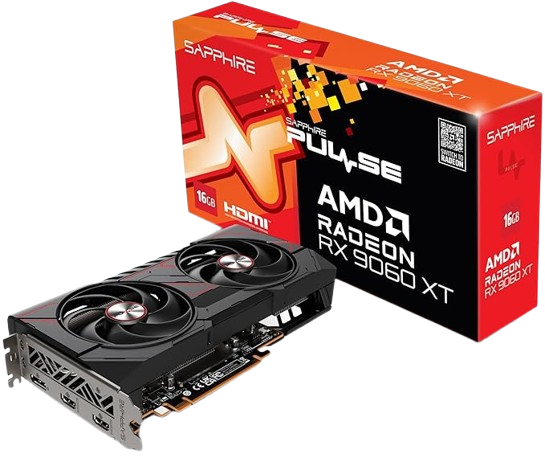
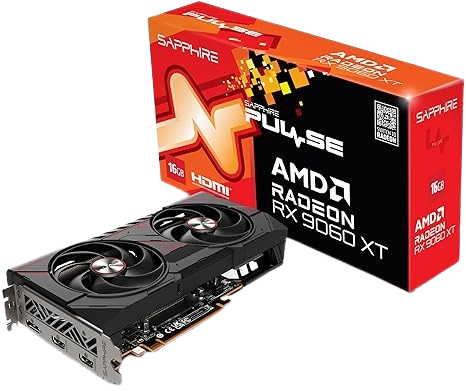
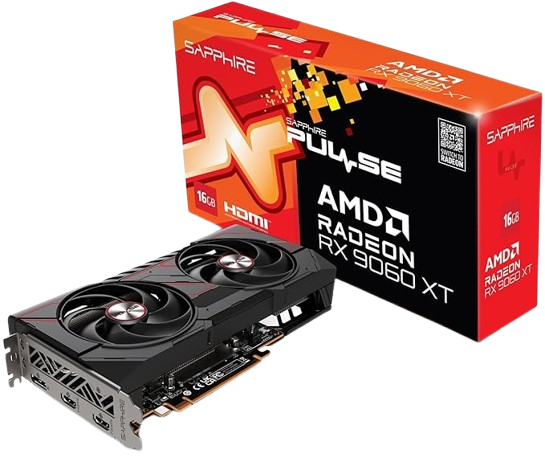
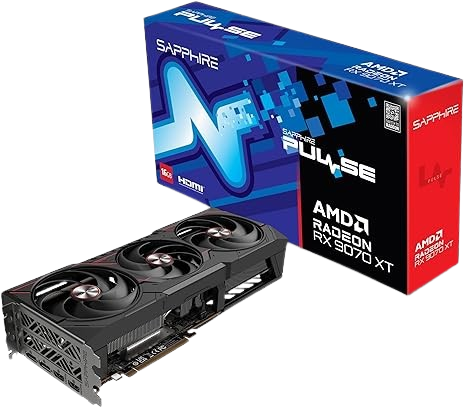
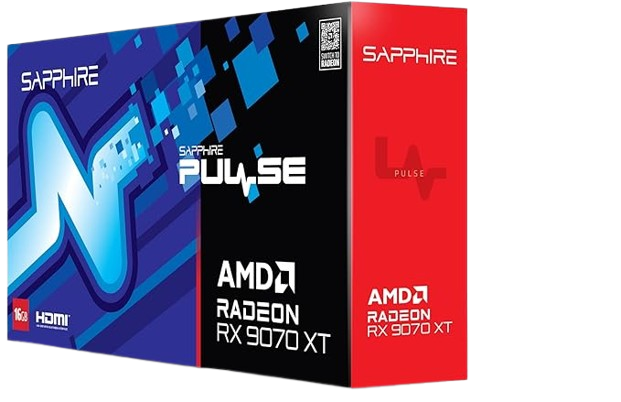
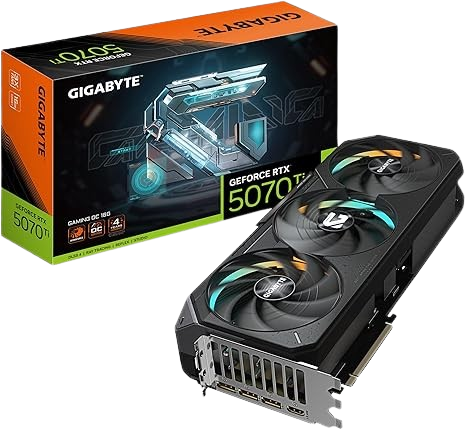
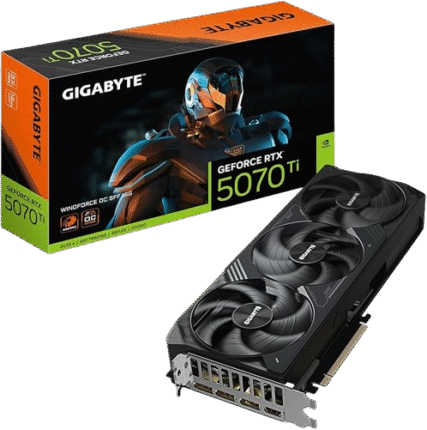
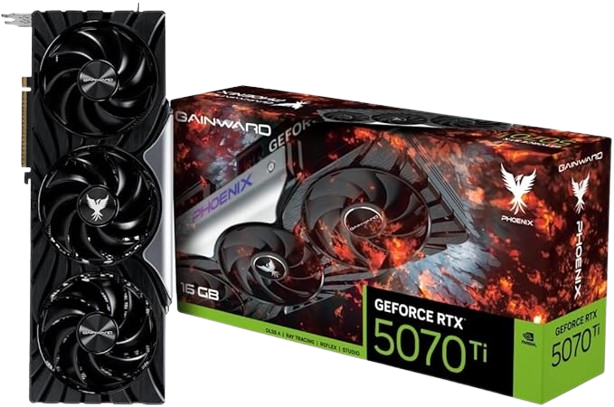
The Graphics Cards I recommend are the RX 9060 XT, RX 9070 XT, and the RTX 5070. The upcoming GPUs that seem extremely promising are the RX 9090, RTX 5070 Ti Super, and the RTX 5080 Super. AMD did a fantastic job this generation, while NVIDIA’s 50 Series released their worst. So bad that they are releasing the same GPUs with more VRAM in just over a year. When it comes to graphics cards, it’s best to choose the one that is more affordable in your region. AI, scalpers, tariffs, and greed have corrupted the PC market, inflating prices well above MSRP. This is why it’s fantastic that Intel entered the GPU market a few years ago, as we needed another contender to keep AMD and especially NVIDIA in check. NVIDIA currently holds value primarily for creators, 4K gaming, and 8K VR. Suppose you’re a creator who does video editing, uses Photoshop, works with 3D, or streams. In that case, you should go with NVIDIA 100%. Even if you are primarily a gamer but also do something creative on the side, the 5070 Ti is the best option for you. If AMD doesn’t release an RX 9080 or RX 9090, then NVIDIA will likely dominate the high-end market in both 4K gaming and 8K VR. From the gaming aspect, no one should consider the RTX 5090. It’s too expensive for any FPS, single-player game, or other types of games. The only gamers I recommend it to are 8K VR enthusiasts. The memory bandwidth of the 5090 is game-changing for the VR industry. It is almost double the bandwidth roughly 78–87% higher than the 4090, 5080, and 7900 XT and that’s not including GDDR7, which provides an additional 30% bandwidth. This is the only category in which the 5090 dramatically improved from last Gen and saved high-end headsets and their potential outlook for VR gaming. You can say NVIDIA flopped this Gen, but for VR, the 5090 is beyond phenomenal; this is where it shines. Once the RX 9090 XT or RTX 5080 Super is released, many people will be able to experience 8K VR as it was intended, with a more accessible price. On the other hand, if you’re a flat-screen gamer or not into 8K VR, then AMD is the clear winner. They’ve outdone themselves this generation, and I recommend either the 9060 XT or 9070 XT. What’s truly impressive about AMD graphics cards, especially this generation, is their performance at the 0.01% and 1% lows. They deliver outstanding fps averages alongside 1% lows, ensuring a smooth and enjoyable gaming experience. If gaming is your primary focus, then AMD is the way to go, offering high performance and reliability. Additionally, AMD GPUs are typically more affordable in most regions by a significant margin. So, to pay $70–$500 less, depending on the level of GPU, for nearly identical performance is a no-brainer. The 9060 XT’s raw performance is excellent at 1080p, and it also does a terrific job with many titles at 1440p. For example, on competitive titles, it runs at 1440p with low settings, achieving 300 fps on Apex Legends, 170 fps on COD Warzone, 380 fps on CS 2.0, 150 fps on Delta Force, 150 fps on Marvel Rivals, 170 fps on The Finals, and 550 fps on Valorant. As for more single-player games on ultra settings, games like Cyberpunk play around 70 fps, DOOM Dark Ages at 50 fps, Hogwarts Legacy at 80 fps, Kingdom Come Deliverance 2 at 50 fps, Red Dead Redemption 2 at 95 fps, and Starfield at 50 fps. It’s the best graphics card on the market, priced roughly at $400. However, the winner of this generation is the 9070 XT; it offers the best price-to-performance that every gamer would love. It’s excellent. It excels at 1080p, of course, and performs over 60 fps on 4K in many titles. When it comes to 1440p ultra settings, it provides 110 fps on Cyberpunk, 110 on Hogwarts Legacy, 150 on Red Dead Redemption, 80 on Oblivion, and 60 on both Silent Hill and Black Myth Wukong, which are all demanding titles. Moreover, that does not account for FSR 4 or Frame Generation, which are advanced features that enhance the visual quality and performance of games. Additionally, these benchmarks are based on the AMD Ryzen 9 9600X CPU, a high-performance processor designed for gaming and content creation. When paired with the recommended GPUs, it can deliver exceptional gaming experiences at an affordable price. However, there is still room for improvement at a higher cost. There will be extra gains of roughly 15% when using a 7800X3D in 1080p and 1440p, and even higher if using a 9800X3D. Lastly, you can avoid selecting the RTX 5060 8 GB or the RX 9060 8 GB model, as it’s a waste of money. Other than that, any GPU you are able to own, have fun, and CONGRATULATIONS!

Amazing for 1080p / Good for 1440p

AMD RX 9060 XT

UNited States

Sapphire Pulse Radeon RX 9060 XT 16GB – Grafikkarten

Spain (EU)

SAPPHIRE PULSE Radeon RX 9060 XT GAMING OC 16GB

Japan

Sapphire 11350-03-20G Pulse AMD Radeon™ RX 9060 XT

Amazing for 1080p & 1440p / Good for 4K & 4K-VR.

AMD RX 9070 XT

UNited States

Sapphire 11348-03-20G Pulse AMD Radeon™ 16GB GDDR6, AMD RDNA 4

Spain (EU)

Sapphire Pulse AMD Radeon™ RX 9070 XT Gaming 16GB Dual HDMI/Dual DP

Japan

SAPPHIRE PULSE Radeon RX 9070 XT GAMING 16GB 11348-03-20G VD8985

Amazing for Creators and 1080p & 1440p / Good for 4K & 4K-VR.

RTX 5070 Ti

UNited States

eForce RTX 5070 Ti Gaming OC 16G Graphics Card, 16GB 256-bit GDDR7, PCIe 5.0,

Spain (EU)

GeForce RTX 5070 Ti WINDFORCE OC SFF 16G Graphics Card – 16GB GDDR7, 256-bit, PCI-E 5.0

Japan

GAINWARD RTX 5070 Ti PHOENIX 16GB GDDR7 V1 Graphics Board NE7507T019T2-GB2031C VD9175

Extraordinary for 4K, 8K-VR, and Creators.

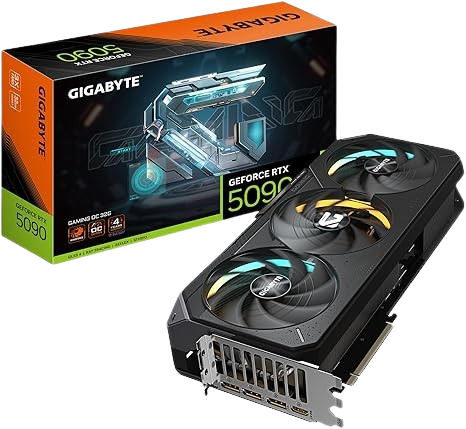
RTX 5090 Gigabyte GeForce Gaming OC 32Gb GDDR7 (GPU)

UNited States

GIGABYTE GeForce RTX 5090 Gaming OC 32G , WINDFORCE Cooling System, 32GB 512-bit GDDR7, GV-N5090GAMING OC-32GD Video Card

Spain (EU)

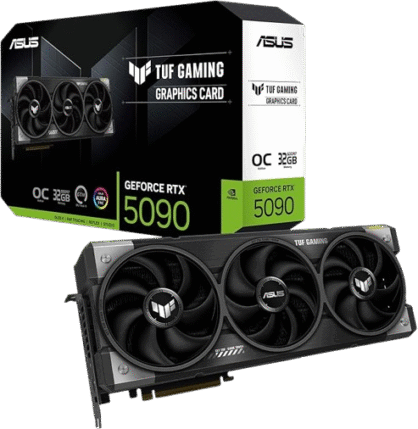
ASUS TUF Gaming GeForce RTX 5090 32GB GDDR7 OC Edition (PCIe 5.0, HDMI/DP 2.1, 3.6 Slots, Military Grade, Axial-Tech Fans)

Japan

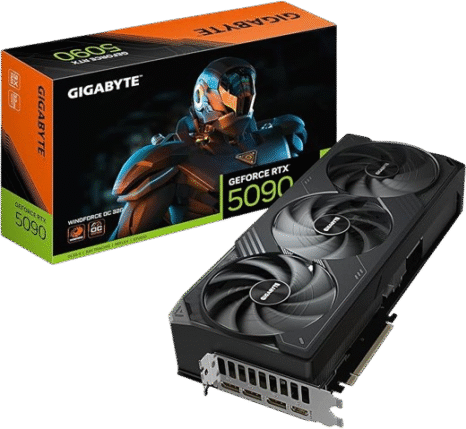
GIGABYTE NVIDIA Geforce RTX5090 GDDR7 Graphic Board, 32 GB (Authorized Dealer in Japan) GV-N5090WF3OC-32GD

This post contains affiliate links. If you click through and make a purchase, I may earn a commission at no
additional cost to you.

CPU

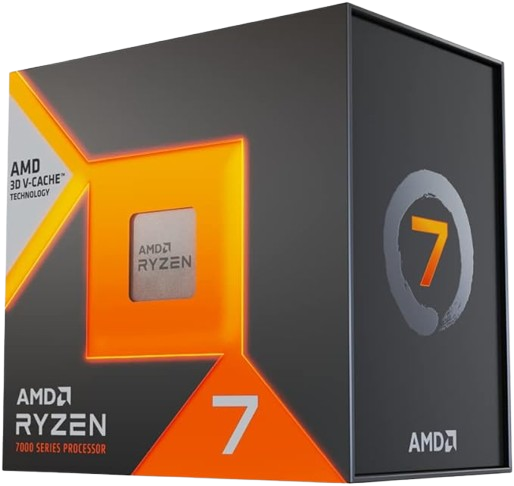
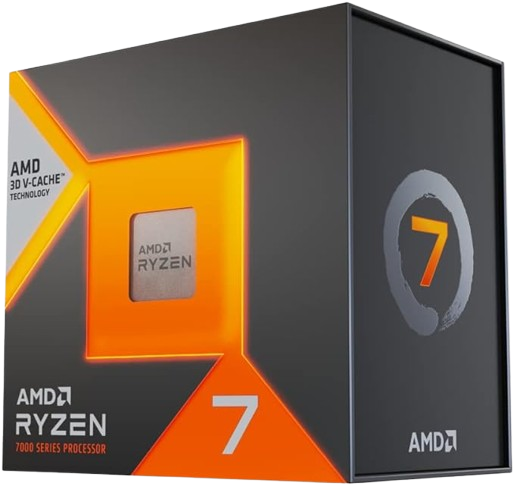
The AMD 7800X3D is the go-to CPU in 2026. It’s the second-best CPU on the market, excelling in 1080p, 1440p, and VR gaming. It’s an FPS juggernaut, and many still consider it the best gaming CPU in terms of price-to-performance ratio. It’s a versatile choice that works well with any GPU you pair it with, and you will be amazed by the average FPS and 1% lows it provides. However, if you’re on a budget, I lean towards either the 7600X or 9600X. The 9600X would be a better option due to its typical 35% discount, which makes it comparable in price to the 7600X. It’s the best gaming chip at the lowest price on the newer AM5 motherboard.

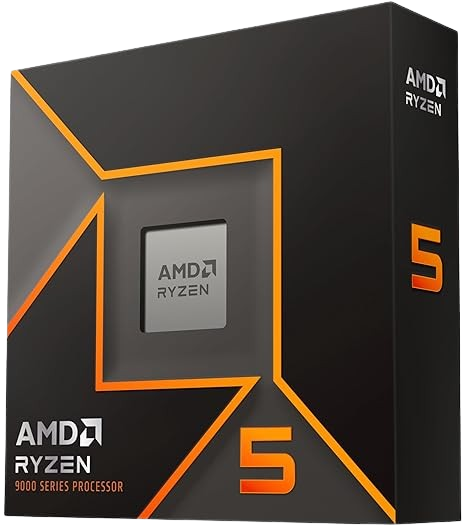
Many didn’t like this chip when it was first released, and that’s understandable. However, now it’s the complete opposite due to its increased affordability. The usual price is under $200, which is nearly 50% less compared to the 7800X3D. It offers around 15% less FPS, but you always have the option to upgrade later to something even better, like the 9800X3D. The 9600X is not a bad chip because it is relatively inexpensive and matches the 5800X3D in nearly all gaming titles—a CPU many gamers love but is usually out of stock, and if available, sold at a ridiculous inflated price.

That said, if the 9600X does not fall under $200, avoid it and grab a 7600X instead. They offer similar performance and pricing for gaming, making either option a solid budget-friendly choice.

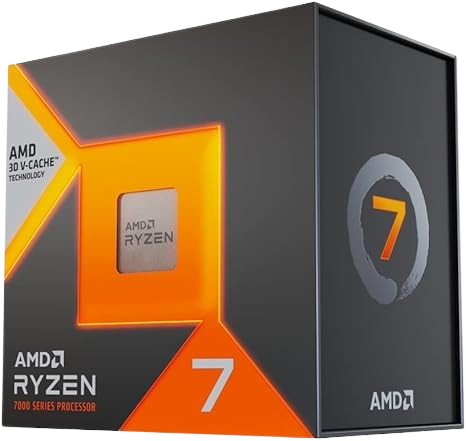
AMD Ryzen 9 7800X3D 8 Core, 16 Thread (CPU)

UNited States

AMD Ryzen 7 7800X3D 8-Core, 16-Thread Desktop Processor

SPain (EU)

AMD Ryzen 7 7800X3D Processor with 3D V-Cache Technology

Japan

AMD 100-100000910WOF [Ryzen 7 7800X3D BOX ]

AMD Ryzen 5 9600X 6 Core, 12 Thread (CPU)

UNited States

AMD Ryzen™ 5 9600X 6-Core, 12-Thread Unlocked Desktop Processor

SPain (EU)

AMD Ryzen 5 9600X Processor (6 Cores/12 Threads, 65W DTP, Socket AM5)

Japan

100-100001405WOF [Ryzen 5 9600X (6C/12T, 3.9GHz, TDP 65W, AM5)]

This post contains affiliate links. If you click through and make a purchase, I may earn a commission at no
additional cost to you.

Motherboard

Many of us think about the GPU, CPU, SSD, and RAM before the motherboard. However, having a bad motherboard with significant components is counterproductive for the desired goal you aim for. More often, the steep price comes from a rich-featured motherboard that we might not even need. What interests me more are boards that support AMD 9000, 8000, and 7000 processors. I appreciate the option to upgrade your CPU in later years if needed—this will save you from having to buy a completely new motherboard. My goal in this selection is to find the most affordable motherboard with a comprehensive set of connectivity and upgradeability.

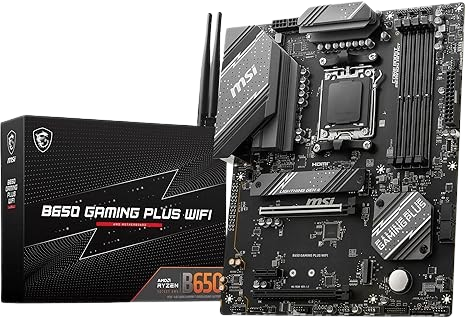
Rated as one of the best motherboards with immense value, the MSI B650 Gaming Plus is a great choice. There is no need to opt for a B850 or X870, as the B850 utilizes the same chipset as the B650, and the X870 is designed explicitly for high-end creators. This motherboard provides everything you need and is typically available at a 10–30% discount, priced under $200. If it’s not on sale, a great alternative is the ASUS TUF GAMING B650 Plus.

Continuing with the MSI B650 Gaming Plus, it features a respectable memory speed of up to 7200 MHz, which is more than enough for gaming. It includes HDMI 2.1, DisplayPort 1.4, one USB Type-C 20 Gb, a 2.5G Ethernet LAN, Wi-Fi 6, and instead of bringing any inferior USB 2.0, it shockingly gives you four USB 3.2 5 Gb ports and three USB 3.2 10 Gb ports. Although it utilizes the previous generation of SSD slots (PCIe 4.0), that is perfectly fine, as the difference between PCIe 4.0 and PCIe 5.0 is insignificant except for the price.

I’ve even seen builds featuring an RTX 5080, 9950X3D, and 64 GB RAM with the foundation of the MSI B650 Gaming Plus. Therefore, you can be confident that your setup will be fine, even with an RTX 5090. Although the new Wi-Fi 7 technology is now available, Wi-Fi 6 remains a fantastic option. Either way, you should always find a way to connect your PC or console through Ethernet LAN for the best performance. Most gamers will opt for an extended router or a 50-foot Ethernet cable to cover the entire home—that’s what I’ve done in the past.

MSI B650 Gaming Plus Wifi

UNited States

MSI B650 AMD B650 Socket

SPain (EU)

B650 Gaming Plus WiFi

Japan

MSI B650 AMD Ryzen 7000/9000

This post contains affiliate links. If you click through and make a purchase, I may earn a commission at no
additional cost to you.

RAM

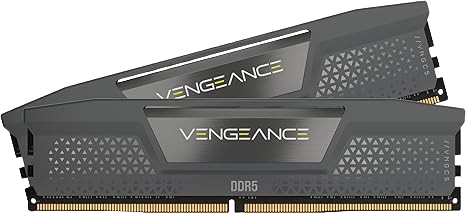
When choosing RAM, it’s a safe bet to opt for 6000 MHz CL30 for AMD. RAM is all about speed and timing, and this configuration will provide you with the best of both worlds at the right price. To be exact, the Corsair Vengeance DDR5 6000 MHz CL30 is highly rated in all regions and, from personal use, has been nothing short of exceptional.

RAM is beneficial because it takes the load off the GPU and CPU, allowing them to focus on other complex tasks, thereby improving the PC’s overall performance. It plays a crucial role in reducing lag, stuttering, and improving responsiveness, resulting in a smoother gameplay experience. RAM also goes hand in hand with SSDs, as they both complement each other and significantly improve load times and textures.

I would focus primarily on two options: 32 GB and 64 GB. Sixteen gigabytes used to be the norm, but as of 2026, you’ll be disappointed with its performance when it comes to newer titles. 48 GB is an odd one, and it’s best to avoid it entirely, as the value it provides is not as good as either 32 GB or 64 GB.

Most gamers who upgrade to 32 GB report positive feedback and believe it’s worth the cost. Having multiple tabs and applications open in parallel while gaming—with no performance drop—is a blessing. This is especially helpful for multitaskers or anyone who tends to keep dozens of tabs open while gaming. Since many new games consume around 16 GB of memory and upcoming games are expected to require 32 GB, upgrading from 16 GB to 32 GB can result in a 10% FPS increase, and at the 0.01% and 1% lows, up to a 75% FPS increase. Lastly, upgrading from DDR4 to DDR5 improves FPS by approximately 30%.

Here’s a breakdown of what each RAM size offers:

  • 16 GB → Minimum you should aim for on a budget. It lets you run most games adequately but expect stutter in newer AAA titles (2022 and beyond).

  • 32 GB → The sweet spot. Ideal for 99% of games, including 4K VR gaming, while allowing multiple background tasks, streaming, and entry-level video editing.

  • 48 GB → Provides similar functionality to 32 GB but with slight headroom. Useful for max settings with ray tracing, Sims, and improved editing. Still, not worth it compared to 32 or 64 GB.

  • 64 GB → The powerhouse. Perfect for heavy multitasking without performance drops. Handles 8K VR gaming, recording/streaming in 4K, large VR-Chat worlds, modded games, 4K editing, 3D animation, large workloads, and 50+ browser tabs simultaneously.

Corsair Vengeance DDR5 6000 MHz CL30

UNited States

CORSAIR Vengeance DDR5 32GB (2x16GB) DDR5 6000MHz CL30 AMD Expo Intel XMP iCUE Compatible Computer Memory – Gray (CMK32GX5M2B6000Z30)

SPain (EU)

CORSAIR VENGEANCE DDR5 32GB (2x16GB) DDR5 6000MHz CL30 AMD EXPO Intel XMP iCUE Compatible Computer Memory – Grey (CMK32GX5M2B6000Z30)

Japan

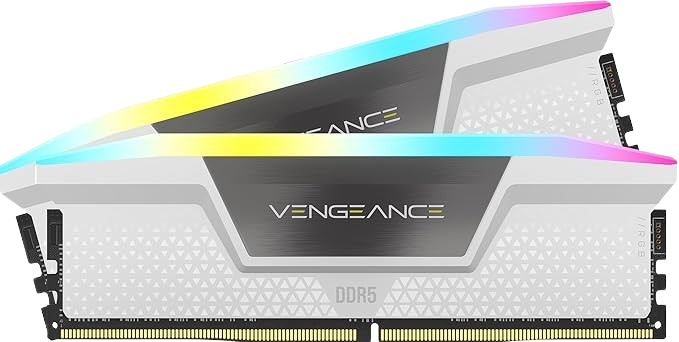
CORSAIR DDR5-6000MHz Desktop PC Memory VENGEANCE RGB DDR5 Series AMD EXPO & Intel XMP Memory Kit 32GB White [2x 16GB] CMH32GX5M2B6000Z30W

This post contains affiliate links. If you click through and make a purchase, I may earn a commission at no
additional cost to you.

SOLID STATE DRIVE SSD

Any SSD with speeds of 4500 MB/s or above will be significantly faster for gaming compared to an HDD. On the other hand, the performance difference between Gen 3, Gen 4, and Gen 5 SSDs is almost non-existent when it comes to gaming. This improvement is specifically tied to gaming, but if you engage in creative work, you may see additional performance benefits.

For most people, I suggest ignoring Gen 5 and opting for Gen 4. It’s more cost-effective, considerably cooler, and provides the same real-world gaming performance. The money you save can be allocated toward an additional terabyte of storage or another PC component. While Gen 3 SSDs are still good for gaming, I would spend an extra $15 for a 7000 MB/s SSD with DRAM cache, which makes everything snappier and improves longevity. Nowadays, SSDs are far more affordable compared to a few years ago, so choosing an HDD or even Gen 3 feels like a waste.

Although it isn’t the top priority in a gaming build, an SSD significantly improves the overall experience. Benefits include faster load times, quicker installation, smoother gameplay, enhanced textures, and better system responsiveness. For example:

  • Open-world games → Faster fast travel, inventory access, and smoother transitions in complex environments.

  • MMOs → Improved performance in congested cities and large-scale battles.

  • Shooters → Faster map loading and in-game menu navigation.

  • VR gaming → Amplified benefits—reducing stuttering and load times. Stuttering in VR can even cause motion sickness, and long waiting times staring into a dark void can be annoying and straining.

Would you rather wait 1–2 minutes to load a AAA title or be ready within 30 seconds? Would you prefer 1–2 hours downloading a new game, or 20 minutes? Beyond gaming, SSDs also improve background tasks—allowing you to fluently switch between Steam, Discord, YouTube, Spotify, Crunchyroll, and other apps while gaming.

For 2026, the SSDs I recommend are:

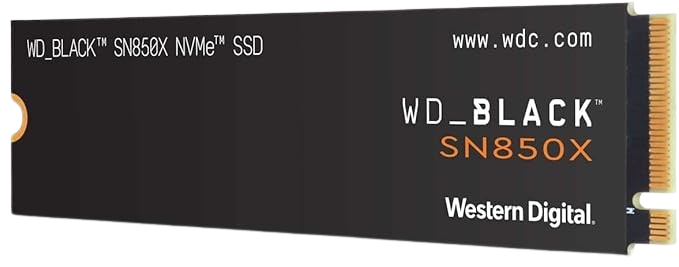
  • WD_BLACK SN850X → Top choice for gamers (speed, cost, durability).

  • Samsung 990 Pro → Best option for creators.

  • Alternatives (still excellent): Crucial T500, Corsair MP600 PRO LPX, Seagate FireCuda 530, SK HYNIX P41 Platinum.

Biggest Games by Storage Size (with DLCs)

Here’s a list of the heaviest games you should consider when choosing SSD capacity:

  • DCS World – 500 GB

  • ARK: Survival Evolved – 400 GB

  • Call of Duty (individual titles) – 110–235 GB

  • God of War Ragnarök – 190 GB

  • Medal of Honor: Above and Beyond VR – 180 GB

  • Final Fantasy XVI – 170 GB

  • Final Fantasy XV – 110 GB / 160 GB (4K)

  • S.T.A.L.K.E.R. 2: Heart of Chornobyl – 160 GB

  • Assassin’s Creed Valhalla – 160 GB

  • Forza Horizon 5 – 156 GB

  • Final Fantasy VII Rebirth – 155 GB

  • Star Wars Jedi: Survivor – 155 GB

  • Horizon Forbidden West – 150 GB

  • The Last of Us Part II Remastered – 150 GB

  • Baldur’s Gate 3 – 150 GB

  • Marvel’s Spider-Man 2 – 140 GB

  • Starfield – 140 GB

  • Halo: Master Chief Collection – 137 GB

  • Monster Hunter Wilds – 135 GB

  • Borderlands 3: Director’s Cut – 135 GB

  • Rainbow Six Siege – 131 GB

  • Black Myth: Wukong – 130 GB

  • Microsoft Flight Simulator – 127+ GB

  • Gears 5 – 127 GB

  • Red Dead Redemption 2 – 120 GB

  • Indiana Jones and the Great Circle – 120 GB

  • Mass Effect – 120 GB

  • Destiny 2 – 102 GB

  • Kingdom Come: Deliverance II – 100 GB

  • Path of Exile – 100 GB

  • The Last of Us Part I – 100 GB

  • Gears of War 4 – 103 GB

  • Metaphor: ReFantazio – 93 GB

  • Atomic Heart – 90 GB

WD_BLACK SN850X NVMe SSD PCIe 4.0 M.2 (1TB-8TB)

UNited States

WD_BLACK 2TB SN850X NVMe Internal Gaming SSD Solid State Drive – Gen4 PCIe, M.2 2280, Up to 7,300 MB/s – WDS200T2X0E

SPain (EU)

WD_BLACK SN850X NVMe SSD, 2TB M.2 2280, Read Speeds up to 7300MB/s, Write 6600MB/s, Internal Gaming SSD, PCIe Gen 4.

Japan

Western Digital WDS200T2X0E-EC WD M.2 SSD SN850X 2 TB NVMe, PCIe Gen4 x4, (Reads up to 7,300 MB / second, Writes up to 6,600 MB / second).

This post contains affiliate links. If you click through and make a purchase, I may earn a commission at no
additional cost to you.

POWER SUPPLY PSU

When it comes to PC components, one company that consistently delivers great work is Corsair.

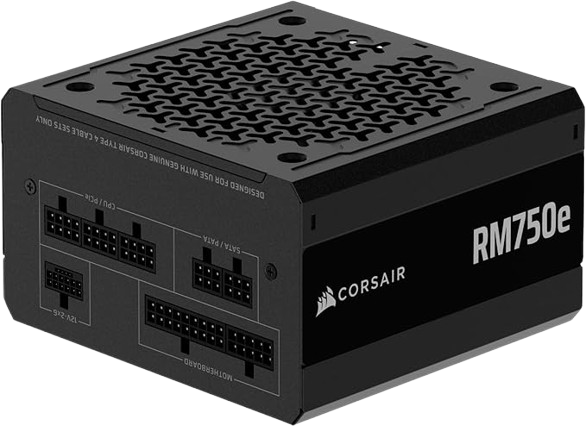
Additionally, I recommend the Corsair RMi, which is considered an A-tier PSU and is also certified as a Gold 80+ power supply. As mentioned earlier, I also chose them for my RAM. Even though they are priced a bit higher, it’s the reassurance that I’m willing to pay for.

They are amazing at building PC components. You will see many people highly speak about their products.

As you may notice, the PSU I chose has a higher wattage than what its manufacturer recommends. The reason behind this is that I will be upgrading to the next generation, and I would like to have ample headroom.

Additionally, I follow the 20% rule, which suggests that using a higher wattage allows your PSU to run more efficiently. Therefore, you should do the same and leave some headroom for any future upgrades related to a GPU or CPU.

Although half the community dislikes the term future-proofing, it applies to specific components. Many people who choose the entry-level GPU from NVIDIA or AMD usually jump 2–3 tiers above later down the years.

Getting 100 more watts from what’s recommended would be wise. This ensures that if your upgrading to the next generation or the one after that. You wont have to buy a new power supply.

A few years ago, I learned that when you purchase a pre-built PC, not only are you spending roughly $300–$600 more, but they also sometimes provide a PSU that is less powerful than what the graphics card recommends. That’s wild.

That’s why I advocate building your PC. Not only will you save more, but you will also have the proper components running your hard-earned money, or your parents’ money. Plus, it’s a great feeling you have once you assemble one.

It might feel intimidating, or you might feel a bit lazy in doing so, but a $500 difference lets you miss out on these probabilities:

  • RTX 5060 Ti 16GBs → RTX 5070 Ti 16GBs

  • RX 7800 XT → RX 7900 XTX

  • RX 9060 XT 8GB → RX 9070 XT

  • AMD Ryzen 7800X3D → 9950X3D

  • 4TB SSD + 32 GB more of RAM

  • 2 years of Netflix, Hulu, or YouTube Premium

  • 6 years of Crunchyroll

  • 3 years of Spotify

A high-quality power supply typically comes with a warranty of 7 to 10 years. The Corsair RMe one gives you 7, but its lifespan could be anywhere between 9 and 13 years safely, which means that you would likely want to replace your GPU or CPU before your PSU fails.

I believe you will upgrade within 12 years at least once, most likely twice, and possibly even three times if you like to stay up to date with technology.

Corsair RMe ATX PSU 80+ Gold ATX 3.1 PCie 5.1

UNited States

CORSAIR RM750e (2025) Fully Modular Low-Noise ATX Power Supply with 12V-2×6 Cable – ATX 3.1 & PCIe 5.1 Compliant, Cybenetics Gold Efficiency, 105°C-Rated Capacitors.

SPain (EU)

CORSAIR RM750e (2025) Low Noise Fully Modular ATX Power Supply with 12V-2×6 Cable – ATX 3.1 and PCIe 5.1 Compliant, Cybenetics Gold Efficiency, Capacitors at 105°C

Japan

CORSAIR RM750e 2025 Model PC Power Supply Unit 750W PCIE 5.1 Compatible, 80PLUS Gold Certified, ATX 3.1 Certified, Full Modular, 12V-2×6 Cable Included, CP-9020295-JP

This post contains affiliate links. If you click through and make a purchase, I may earn a commission at no
additional cost to you.

CPU Air Cooler

There are only two brands of air coolers that should be on your radar more than others. One is Noctua and the other is Thermalright.

Noctua is the undisputed king, but it comes with a hefty price tag. Although they offer better performance, aesthetics, and lower noise output, you should lean toward the Thermalright.

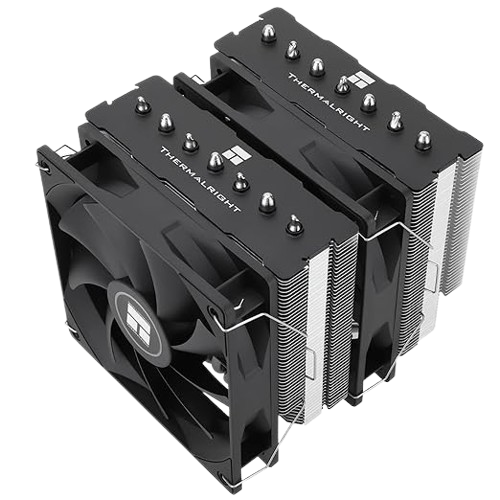
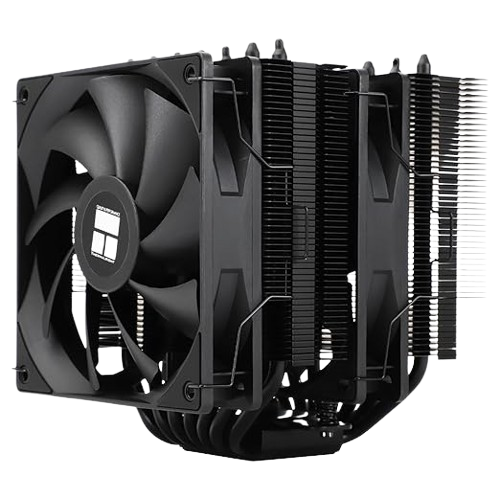
The specific model would be the Phantom Spirit 120 SE. This is a budget-friendly air cooler that works on all ends. Many have used it with the Ryzen 9 9950X3D, which is a powerful CPU. This shows that it can handle any level of CPU for $35.

There aren’t many better than Phantom Spirit for the price range and the performance that it provides. Any other air cooler that is better is minimal. More often, the extra cost comes from the lower noise level the fans produce or RGB lights, which is a nice feature to have, but not a necessity.

If you’re sensitive to the fan noise, then your best bet is the Noctua NH-D15 or a liquid cooler. But I wouldn’t recommend a liquid cooler.

At this time, a well-built air cooler can handle any CPU, especially with a PC case that has good airflow. The difference between the two does not justify the cost disparity. The only times you need a liquid cooler are when you overclock your CPU or perform consistent, heavy workloads, which is less than 1% of consumers.

Liquid Coolers have 1 glaring drawback which in choosing one makes it less ideal. That flaw is that they have a high likelihood of having more failures due to their complex assembly. Once this failure occurs, it is more likely that you wont notice it and proceeds to leakage, potentially damaging other components such as your CPU, PSU, and Motherboard. Even though its rare, it does happen, and when it does, you will be a bit traumatized.

In contrast, air coolers are easier to repair and more cost-effective, as a fan failure is relatively easy to replace.

The liquid coolers are better in terms of aesthetics and overclocked CPUs, but is it worth it to be paranoid about failure and the poor software you have to deal with to make it functional?

Air coolers will provide nearly the same efficiency while being practical, affordable, durable, and having an install-and-forget process with no risk of destroying your PC.

Now, the best liquid coolers do outperform air coolers, but on the other hand, many liquid coolers perform poorly and are not worth selecting.

The best quality air coolers are the only ones you should aim for if you want near-identical performance to the best liquid cooler. You cannot simply use any air cooler; instead, you must select the best ones. These include:

  • Corsair A115

  • Noctua NH-D15

  • Peerless Assassin 120 SE

  • Phantom Spirit 120 SE

  • and a few others

Any of these choices will match the best AIO on the market. However, the Phantom Spirit 120 SE offers the best price-to-performance ratio, which is unbeatable when considering all factors.

Thermalright Phantom Spirit 120 SE

United States

Thermalright Phantom Spirit 120SE CPU Air Cooler, 7 Heat Pipes CPU Cooler,Dual 120mm TL-C12B V2 PWM Fans, AGHP 4.0

SPain (EU)

TR Phantom Spirit 120SE CPU Cooler, 7 Heat Pipes, Dual Fan TL-C12B V2 PWM, Technilogy AGHP 4.0, For AMD AM4 AM5/Intel

Japan

Thermalright Phantom Spirit 120 SE Black CPU Cooler, Dual TL-C12B V2 PWM Fan and Double Tower, 7 Heat Pipe Heatsink Cooler.

This post contains affiliate links. If you click through and make a purchase, I may earn a commission at no
additional cost to you.

PC CASE

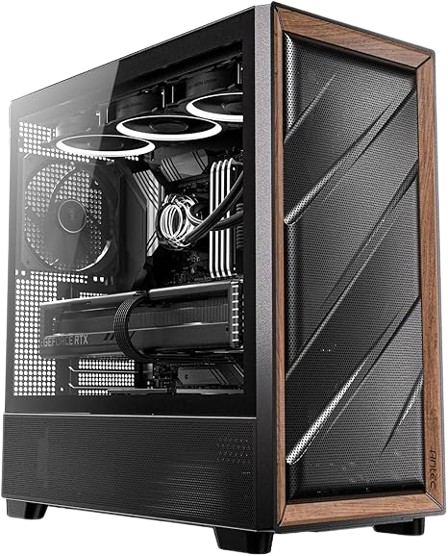
I suggest going all out on this one. Grab a high-quality, high-airflow mid-tower case, and the rest is history. One option is the Antec Flux Pro Mid Tower. It comes with 5 PWM fans pre-installed, which is marvelous. It saves you the hassle of installing the fans, which can be tedious or complicated for many. I’m not fond of installing fans myself, and I know many will feel the same way. So, grabbing this case helps you skip that installation process and lets you focus on installing the main components right away. Not only that, but five pre-installed fans are not the norm. Most cases come with 3-4 fans, which is sufficient. However, combining the size of this case with five pre-installed fans and a high airflow design, it would be an educated guess from anyone’s perspective that one’s components, such as the GPU, CPU, SSD, and RAM, have the best chance to stay cool. The last thing you want is a component to fail on you, and the best way to ensure their longevity is to keep them as cool as possible. Cramping everything into a more compact Tower will cause more heat to build up, requiring you to buy extra fans or a liquid cooler, which will cost you anywhere between $60 and $200 over the course of 7 years. The Antec will help you avoid those costs and hassles from the outset. This is why I recommended pairing this case with the Thermalright Phantom Spirit 120 SE. Both will outlast every other product, and you will not have to worry about them easily over a decade, making them future-proof. This case also features two USB 3.0 ports, one Type-C 10 Gbps port, and supports up to 9 fans, along with a pull-out dust filter. This is an Endgame Tower for the vast majority. Aside from all that, the most captivating aspect of the Antec is the aesthetics. With a premium wood front design and solid metal, it gives the impression of high quality, and it is just that. (Get Full Tower for 5090 build)

ANTEC FLUX PRO Mid Tower

United States

Antec Flux Wood, 5 x PWM Fans Included, High-Airflow Front Panel with Walnut Wood, Type-C, 420mm Radiator & Back Connect Motherboard Support, Up to 9 Fans Simultaneously, Mid-Tower E-ATX PC Case

SPain (EU)

Simultaneously, Antec FLUX, 5 PWM Fans Included, Up to 9 Fans Type-C, Iron Mesh Panels and Wood Frame, 420mm Radiator Mount, Back Connect Motherboard Support, E-ATX Mid-Tower PC Case

Japan

Antec Flux Wood, 5 x PWM Fans Included, High-Airflow Front Panel with Walnut Wood, Type-C, 420mm Radiator & Back Connect Motherboard Support, Up to 9 Fans Simultaneously, Mid-Tower E-ATX PC Case

This post contains affiliate links. If you click through and make a purchase, I may earn a commission at no
additional cost to you.

MONITORS

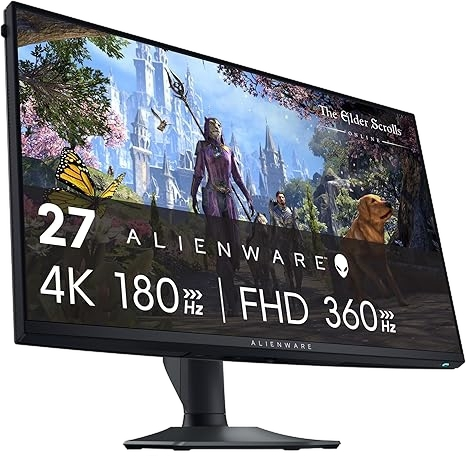
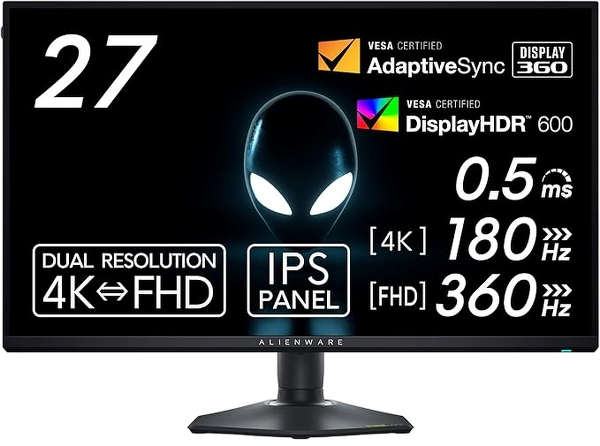
When choosing a gaming monitor, it’s best to opt for either an IPS or OLED display. IPS is more affordable, and you’ll find a wide range of selections between $150 and $800. As for OLED, the starting price is around $600. I’m only going to mention two fantastic monitors: one mid-range and the other High-End. The first one gives you everything you need at a fair price. The Alienware AW2725qf 27″. It’s an IPS panel that can provide you with 180Hz at 4K and 360Hz at 1080p. Dual resolution works well for this monitor due to its size. Any bigger and it becomes too blurry. One of the main drawbacks of the ASUS PG32UCDP. It’s a fantastic concept to implement, but the application only works with a 27″ screen when it comes to 1080p. The Alienware AW2725qf excels in this area, offering players the versatility to play single-player games at 4K 180Hz while also switching to 360Hz for competitive, faster-paced games. This is the sweet spot for nearly everyone. Most players’ PCs can’t reach over 180fps on 4K. You need something around the lines of an RTX 4090, 5080, or 5090 to be able to do such. Even then, you’ll need DLSS and Frame generation enabled. Aside from its performance, this monitor is crystal clear, offering a great viewing experience with its vibrant colors, bright display, and high contrast. It’s a fantastic monitor for $500; for that price, it’s worth it. The things I love about this monitor are its 4K resolution and high PPI of 163, which add to the extreme detail. It displays the game’s textures remarkably, and even more so in games with written text, such as JRPGs or RPGs, as well as for browsing. It’s also one of the best IPS panels, providing phenomenal colors and deep blacks that rival those of VA panels. This monitor is the perfect midway point until you can save up for a high-end OLED monitor.
Samsung Odyssey G80SD 32”
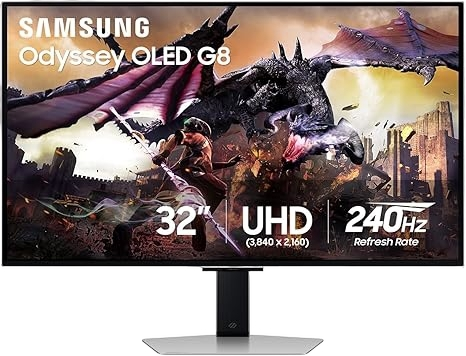
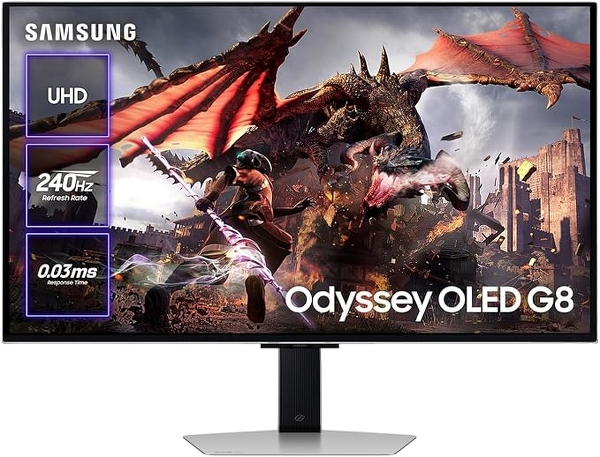
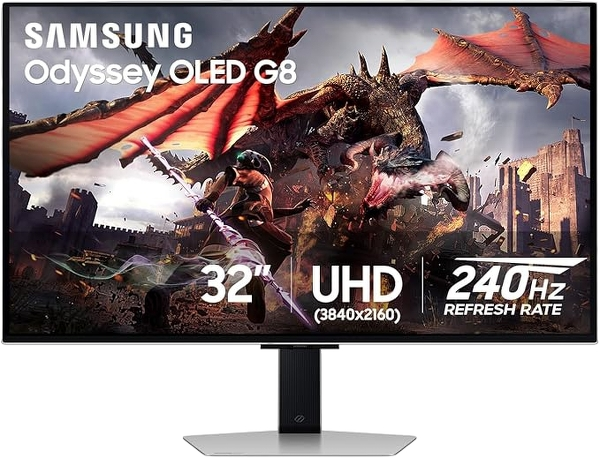
Aesthetically, the Samsung G80SD is by far the best-looking monitor on the market, offering a stylish and high-quality design. The appearance does not resemble a gaming monitor, but rather something professional. The performance provides 4K 240Hz with 138 ppi, making text sharp and crystal clear imaging at 32″. I appreciate the path that Samsung took, which is different from the rest. It adds extreme value for someone looking to purchase both a high-end gaming monitor and a TV. Many can’t afford both or will prefer not to. Adding $500 or more to an already purchased premium gaming monitor can significantly impact your wallet. This hybrid monitor could be very beneficial for those specific individuals. You can play games with visual excellence, and at other times, you don’t need to turn on your PC to watch movies or shows. Samsung is targeting content and gaming consumers with the G80SD. I appreciate their efforts in trying something different, and it sounds fantastic for that type of customer. With built-in Tizen, you can watch your favorite movies and shows from applications. It includes a remote controller, which many appreciate for its convenience in volume control, changing inputs, and adjusting settings without needing to access the monitor’s back. The controller also includes quick buttons for easy accessibility to Netflix, Disney+, Prime Video, or Samsung TV. Another category in which it thrives is productivity. This is due to the matte Coating, which allows you to use it reflection-free throughout the day. Half the community is split between matte vs glossy screens. Yes, you do get better picture quality from glossy, but you only notice the difference when they are side by side. If you have never experienced an OLED at home, or you are upgrading from a TN, IPS, or VA panel. The Matte Coating finish will still amaze you with its colors and rich blacks. It’s light-years away compared to the other panels.
Additionally, seeing reflections from windows, lighting, objects, or even yourself can be highly annoying. Even infuriating to a certain degree. Additionally, glossy finish reflections are the primary cause of eye strain. That’s a big negative. The Samsung G80SD is also equipped with both G-Sync and FreeSync. A sleek minimalist stance. Height, swivel, tilt, and rotation adjustability, along with above-average speakers, but better than those of their competitors. I also like the ASUS and MSI monitors, but unfortunately, I can’t recommend them due to their AI features. Some AI features are beneficial, such as AI crosshair color adjustments for improved visuals and Shadow Boost, which enhances visibility through OLED pitch blacks. However, once they added AI sniper and MOBA map assistance, I was unable to provide them with support. Lastly, another reason I chose the 2024 Samsung G80SD, a year-old monitor. It’s because these new monitor prices are too inflated at MSRP. The cost for the G80SD is now roughly $200 less than the original MSRP. It may take some time to get acclimated to the Entertainment hub, but once you do, it’s a very convenient and enjoyable monitor.

Alienware AW2725QF 27” 4K 180Hz/ 1080p 360Hz IPS (Mid-Range)

UNited States

Alienware 27 4K Dual-Resolution Gaming Monitor – AW2725QF – 4K at 180Hz and FHD at 360Hz, 0.5ms GTG 1ms GTG (Extreme Mode), VESA AdaptiveSync, NVIDIA G-SYNC Compatible, HDMI/DP/USB 3.2 Gen1 – Black

Japan

【Amazon.co.jp限定】Dell AW2725QF-A 27-Inch Dual Resolution (4K/FHD) Alienware Gaming Monitor (5-Year Burn-in Guarantee/IPS, Matte/DP1.4×1, HDMI2.1×2/DCI-P3 95%/Vertical and Horizontal Rotation, Height

Samsung Odyssey G80SD 32” 4K 240Hz OLED (High End)

UNited States

Samsung 32″ Odyssey OLED G8 (G80SD) Series 4K UHD Smart Gaming Monitor w QD-OLED, 240Hz 0.03ms, G-Sync Compatible, Glare-Free Display, Sleek Metal Design, LS32DG800SNXZA, 3 Yr Warranty

Spain (EU)

Samsung 32″ Odyssey OLED G8 UHD Monitor 3840 x 2160, 16:9, 240Hz, 0.03ms, FreeSync Premium Pro, G-Sync Compatible, Anti-Glare, Burn-in Safeguard, Eye Saver Mode, Flicker Free, LS32DG802SUXEN, 2025

This post contains affiliate links. If you click through and make a purchase, I may earn a commission at no
additional cost to you.

SOUNDBAR / SURROUND SOUND SYSTEM

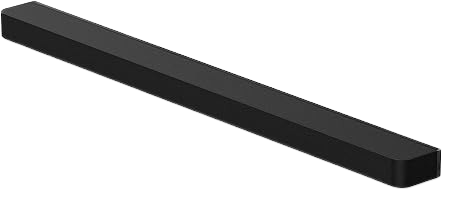
Sony’s soundbar is phenomenal. The Bar 9 is their flagship product, featuring 13 speakers and Dolby Atmos. This soundbar is more than enough to fill a room and deliver spectacular sound quality, featuring powerful bass and transparent dialogue. This alone does the job. Of course, you can purchase the subwoofers and make it even better, but try the Bar 9 first and see if you need to make that additional purchase.

It features drivers facing forward, to the sides, and upwards, delivering a surround sound experience with the assistance of its “360 spatial mapping.” This tech outperforms every other soundbar alone in terms of immersiveness, especially in smaller rooms.

As amazing as the Bar 9 performs, its true potential comes from pairing it with newer Sony TVs, specifically the BRAVIA lineup. They work in parallel, delivering synchronizing sounds from both your TV and Bar 9, enhancing your experience. Making movies, shows, or games sounds thrilling.

Sony Bar 9 also sounds good in the music department, but it’s not its forte, and it falls short of its competitors. However, the primary focus of purchasing a soundbar is usually for content and games, rather than music. But as an overall product, it’s outstanding.

SONY BRAVIA Theater Bar 9 Sound Bar

United States

Sony BRAVIA Theater Bar 9 for TV Theater, Dolby Atmos/DTS:X, 360 Spatial Sound Mapping, HDMI 2.1

SPain (EU)

SONY BRAVIA Theatre Bar 9 – TV, Dolby Atmos®, 13 Speakers, Wi-Fi®, Bluetooth®, 360 Spatial Sound Mapping, 2024 Model

Japan

Sony HT-A9000 BRAVIA Theatre Bar9 [Dolby Atmos / DTS:X Compatible/360 Stereoscopic Sound/HDMI 2.1

This post contains affiliate links. If you click through and make a purchase, I may earn a commission at no
additional cost to you.

HEADPHONES

There are a few brands that excel in producing headphones. The type of headphones that I usually focus on are Open-Backs. The brands that interest me are HIFiman, Beyerdynamic, Grado, and my personal choice, Sennheiser. Any of these brands will have a model that you will fall in love with. We are all different, so there is no definite best headphone on the market. Some people prefer a stronger bass, a better soundstage, or greater clarity.

I encourage you to try Open-Back headphones. If you have never tried them, you will be mind-blown. It’s a must! Especially if you love appreciating music, films, or in-game cinematics. I did a few years ago, and I fell in love with them. They are breathable, comfortable, and sound more realistic. I never get tired, sweaty, or overheated, and I don’t get headaches compared to closed-back headphones or earbuds in general.

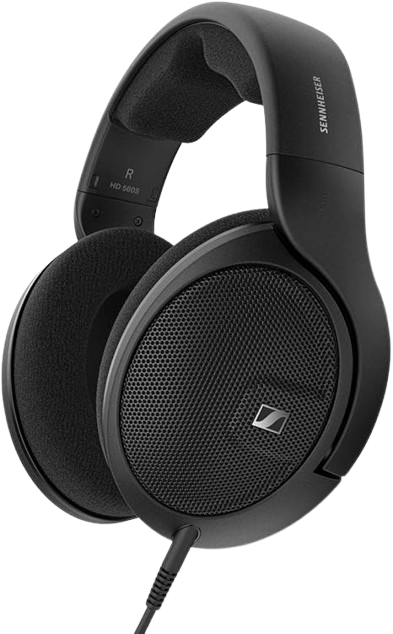
The headphones that I owned and experienced for a significant amount of time are the Sennheiser HD 599. They fall under $200, but they sound like premium headphones. It’s an all-around headphone, but for gaming specifically, I suggest the Sennheiser HD 560. They are incredibly comfortable, never causing fatigue or discomfort when worn for long periods. The HD 560 offers a great image and soundstage, which enhances gameplay, especially in FPS titles. Being able to hear footsteps and gunfire more precisely in the direction they are coming from makes the game more immersive.

The downside of the HD 560 is that they do not include a microphone. These might not work for you, depending on how you intend to use them and your lifestyle, if you’re looking for an all-in-one headphone microphone. The best one is the Sennheiser/EPOS PC38X. Your ears will thank open-back headphones.

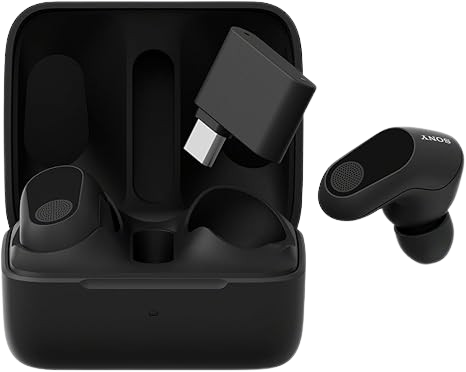
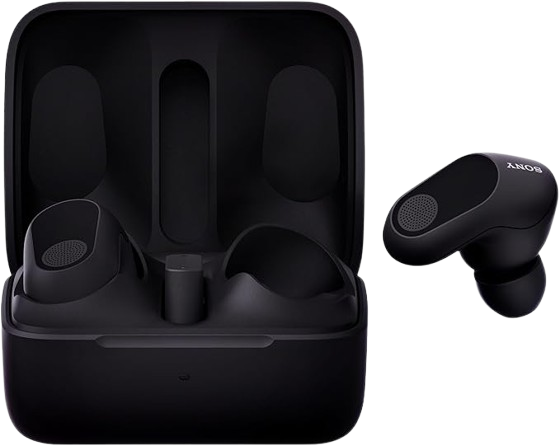
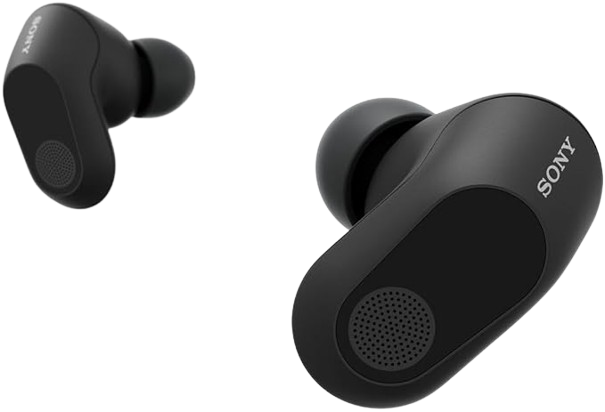
On another note, if you prefer headphones that don’t cover your ears, a great alternative is the Sony INZONE Buds. Even though they are earbuds, they feature 360-degree spatial sound with amazingly low latency, plus a 24-hour battery.

Headphones HD 560s Open Back

United States

Sennheiser HD 560 S, Open-Back Earcups, Detachable Cable, (Black) (HD 560S)

SPain (EU)

Sennheiser HD 560S HEADPHONE, DIADEM, 3.5MM CONNECTOR, BLACK

Japan

Sennheiser Headphones, Wired HD, 560S, Japanese Genuine Product

SONY INZONE Buds

United States

Sony INZONE Buds Wireless Gaming Earbuds, Perfect for PlayStation® 5, for PC/PS5/Switch/Mobile, 48Hr Battery with Case, Noise Canceling, 360 Spatial Sound, 2.4GHz USB-C Dongle, WF-G700N Black

SPain (EU)

Sony INZONE Buds, True Wireless Gaming Headphones, Low Latency Transceiver, Compatible with PC and PS5, 360 Spatial Sound, Lightweight and Comfortable, Noise Cancelling, AI Microphone, 24 Hours

Japan

Sony Gaming Earphones, INZONE Buds: WF-G700N Fnatic Supervision, Fully Wireless, Low Latency 2.4 GHz Wireless Connection, USB Type-C Transceiver Included, LE Audio Compatible, Active Noise Canceling,

This post contains affiliate links. If you click through and make a purchase, I may earn a commission at no
additional cost to you.

MICROPHONE

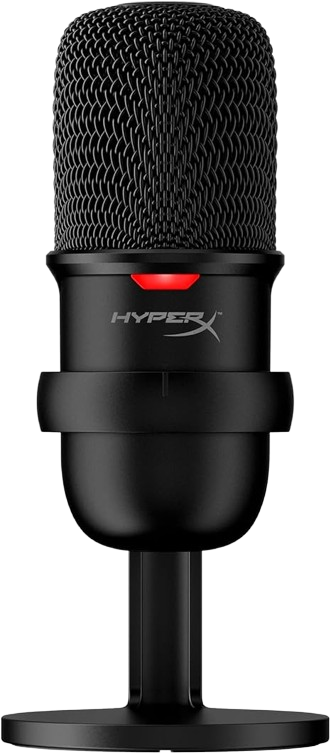
If you get one of the headphones with no microphone, then the HyperX SoloCast is an excellent mic for just under $50. One of the best in terms of budget-friendly. Many appreciate this microphone, which has garnered over 20,000 ratings in the US, Spain, and Japan, with an average rating of 4.6 on Amazon.

It connects through USB and comes with a stand already. So, you don’t need to buy a separate boom arm to hold it. Just buy an inexpensive pop filter with it and you’re set.

HyperX SoloCast

United States

HyperX SoloCast – USB Condenser Gaming Microphone, for PC, PS4, PS5 and Mac, Tap-to-Mute Sensor, Cardioid Polar Pattern, great for Streaming, Podcasts.

SPain (EU)

HyperX SoloCast USB Gaming Condenser Microphone, One Touch Mute Sensor, Cardioid Polar Pattern, Gaming, Streaming, Podcasts, Twitch, YouTube, Discord

Japan

HyperX SoloCast USB Stand-Alone Microphone for Telework/ Streamer/ Content Creator/Gamers / PC, PS4, PS5 Compatible, Manufacturer, HMIS1X-XX-BK/G (4P5P8AA)

This post contains affiliate links. If you click through and make a purchase, I may earn a commission at no
additional cost to you.

OFFICE/GAMING CHAIR

Forget about gaming chairs in total. They may look cool, but they are a waste of money. They provide no benefit and are not nearly as comfortable as office chairs or ergonomic chairs. If you’re sitting for long hours gaming, working, browsing, or doing productive tasks, wouldn’t you aim to be comfortable? Sitting for long hours is not healthy in the long run; therefore, it’s essential to stretch or take a short walk every hour or so. This is amplified, and the body takes a bigger toll if you’re sitting with an incorrect posture. Health is wealth. There are three things you shouldn’t go cheap on: where you sleep, where you sit, and what you stand on.

I recommend buying an ergonomic chair over any other. There are many at any price range to choose from. Unfortunately, finding the right chair that fits your unique body perfectly is extremely difficult. It’s best to opt for a budget-friendly ergonomic chair under $150 initially. Then, after 1-2 years, consider upgrading to a premium, high-end chair, either new or second-hand. Nearly all ergonomic chairs with mixed reviews cost under $1,000. The only ones that have overwhelmingly positive feedback are brands such as Herman Miller, Humanscale Freedom, Steelcase, and Haworth, which many have claimed they would prefer over the mid-range options.

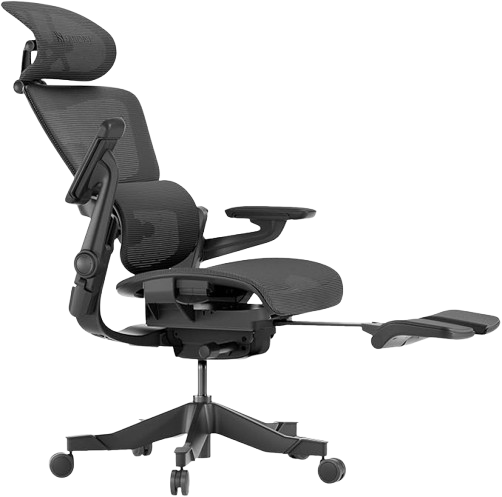
Now, if you decide to go with a mid-range option of around $700, your best bet would be the Hinomi H1 Pro V2 or the Hbada E3 Pro. Although these two also have fluctuating reviews, they are the best of the bunch. I would choose Hinomi, as it costs $600 and I expect it to last me over a decade, providing the best comfort with no significant flaws. But with the mixed reviews it has accumulated, I would rather wait and save until I can afford a chair that would last forever.

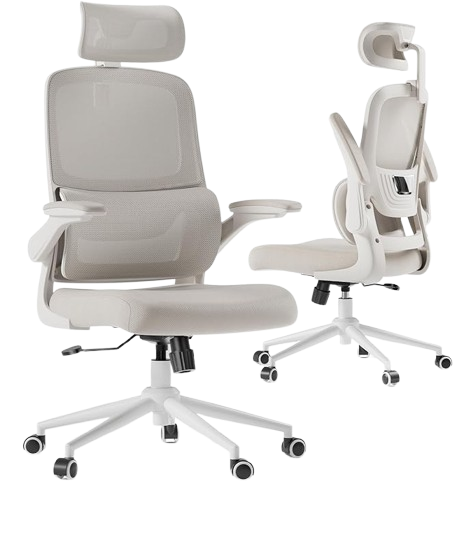
I was about to purchase the Hinomi H1 Pro V2, a chair that had been on my Wishlist for quite some time, but I opted for the Hbada P1, which costs $150. It’s a great beautiful chair for the price; it provides decent adjustable lumbar and neck support, breathable mesh material for the entire back, an average seat cushion that supports up to 330lbs/136kg, 90-degree flip armrests, and 12-degrees in reclining, which is good for stretching but not really to lean back and watch something for several hours. Although I’m not particularly impressed with it, it’s still ahead of most gaming chairs.

Suppose you are someone who spends many hours sitting at the desk on a gaming, dining, or office chair. Trust me, this chair will work wonders, and it’s a must. I am delighted with my purchase and would recommend it to anyone. As for high-end options, you can focus on either Herman Miller, Humanscale Freedom, Steelcase, Haworth, or the newcomer Anthros. They are all remarkable at assembling high-quality ergonomic chairs. These will last you a lifetime, with proper care, easily up to 20 years. They all have top-notch warranties that cover you for up to 5, 10, 12, and even lifetime (Steelcase) on various parts of their chairs. These options epitomize health, comfort, and style.

My approach and suggestion to many is to start with a low-end ergonomic office chair until you’re able to buy a high-end one. Mine will be the ANTHROS. It’s a newcomer competing against high-end chairs. Based on my research, this chair is the best on the market. They have an ingenious approach to building their chairs by providing proper posture to alleviate pain while amplifying comfort. It’s completely different from any other chair that has ever been built. Putting much thought and science behind their product. It’s the only chair that the FDA has approved to relieve pain in correcting posture over time. That’s wild.

Although every other ergonomic chair helps with posture and overall health, no chair can fix your posture by itself; it requires a combination of factors, including proper sitting posture. Hbada, Hinomi, Herman Miller, Humanscale Freedom, Steelcase, Haworth, or any other chair is crafted to promote good posture. However, your body fights it unless you are actively aware of how to sit on it, which is the best way to describe it. These chairs demonstrate how to sit for better posture, but the Anthros encourage proper sitting without the feeling of being forced.

They have by far the best method for maintaining better posture while sitting and simultaneously correcting it once you’re done at your desk. Amazing. It helps with Upper back pain, Lower back pain, Disc Herniation, Disc Degeneration, Osteoarthritis, Muscle Strain, Spondylolisthesis, Neck Strain, Shoulder Pain, Piriformis Syndrome, Hip Pain, and Leg Pain.

Anthros was designed using scientific research and evidence, and it was named “Anthronomics,” a unique blend of biomechanics, ergonomics, and anthropometrics. It features the best breathable and comfortable cushions available and outperforms all other office and gaming chairs. Many chiropractors are highly impressed and recommend it. So do I.

ANTHROS (High End)

https://www.anthros.com/

Mid-Range

HIHOMI H1 Pro V2 Ergonomic Office Chair

United States

HINOMI H1 Pro V2 Ergonomic Office Chair with Foot Rest – Comfy Home Office Desk, Comfortable Mesh Seat with Adjustable Back Support

SPain (EU)

HINOMI H1 Pro V2 Folding Desk Chair with Headrest, Armrest and Wheels; Ergonomic Reclining Desk Chair with Footrest; Fabric Gaming Chair for Adults (Black)

Japan

HINOMI H1 Pro V2 Office Chair, Mesh Chair, Telework, Fatigue-free, Work Chair, PC Chair, Ergonomic Chair, 3D Lumbar Support, Retractable Footrest, 5D Flip-up

Low-End

Hbada P1 (Low-End)

United States

Hbada P1 Ergonomic Office Chair with 2D Lumbar Support & Adjustable Headrest – Heavy Duty 300lbs Capacity, 102° Reclining, Foldable Arms, Thick Cushion – Perfect for Home Office Chair, White

SPain (EU)

Hbada P1 Silla ergonomica Escritorio, Silla de Oficina con reposabrazos Plegables, Soporte Lumbar Ajustable Silla Escritorio, Silla Oficina ergonómica para Uso doméstico, gris

Japan

Hbada P1 Chair, Office Chair, Desk Chair, Chair, Computer Chair, Flip-up Armrest, Compact, Work Chair, Locking, PC Chair, Office Chair, 360° Rotation, Seat Lift, Reinforced Nylon Resin Base.

This post contains affiliate links. If you click through and make a purchase, I may earn a commission at no
additional cost to you.

KEYBOARD

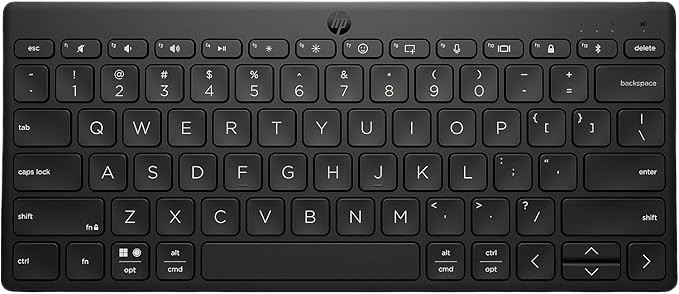
This keyboard isn’t built for gaming it’s designed for everyday use. Its compact, minimalist style makes it a perfect choice for anyone with a smaller desk or those who prefer a sleek setup. Despite its size, it’s sturdy, portable, and easy to carry around.

You can connect up to three devices via Bluetooth and switch between them instantly with a single key. It also includes an emoji key and other smart keys, giving you quick access to commonly used functions and boosting your productivity.

Battery life is another highlight—it can last up to two years on a single charge. Personally, I love the design, size, and uniqueness of this keyboard. Replacing my old one with it was absolutely worth it.

If your current keyboard feels outdated or you’re considering a new one, this is a strong option to explore. Many others agree: it holds a 4.4-star rating from nearly 3,000 reviews on Amazon a number that definitely sparks curiosity.

HP 350 Compact Multi-Device Bluetooth

United States

HP 350 Compact Multi-Device Bluetooth Keyboard – Windows, Mac, Android, iPad, iPhone Compatible – Wireless – Easy Switch Up To 3 Devices -Media

SPain (EU)

HP 350 – Compact Wireless Keyboard Multi-Device (Bluetooth 5.2, Windows, MacOS, iPadOS, Chrome OS, Android, iOS) QWERTY Spanish, Black

Japan

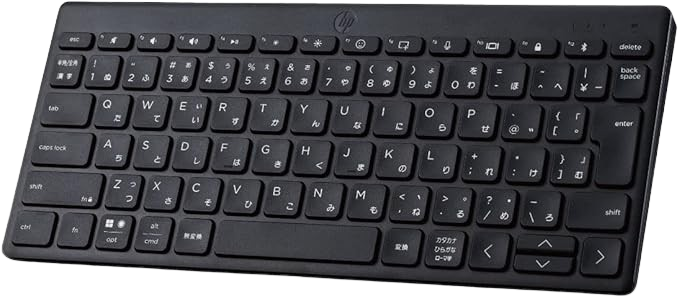
Hewlett Packard (HP) Wireless Keyboard, Thin, Small, HP 350 BK, Compact Multi-Device, Bluetooth, Windows, Mac, IOS, Android, Japanese Arrangement

This post contains affiliate links. If you click through and make a purchase, I may earn a commission at no
additional cost to you.

CONTROLLER

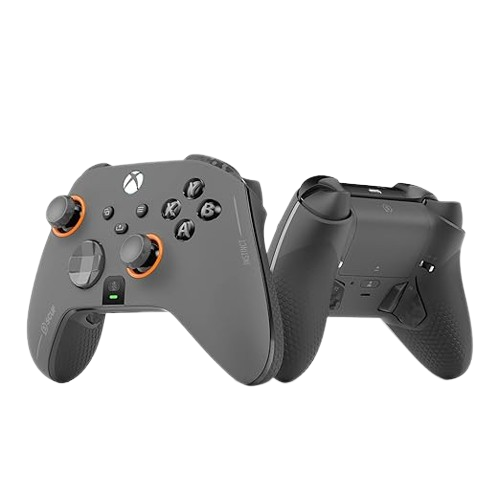
The 2nd best controller in terms of quality and adjustability is the SCUF Instinct Pro, which is the endgame for 99% of players. Yes, there’s Battle Beaver Controllers, whose adjustability is insane, and I do believe it’s the best on the market. However, a price tag of $400 is tough. Although the SCUF is also expensive, it is roughly half the price of the Beaver.

The SCUF controller is awesome. It features four paddles perfectly positioned behind the controller, where your middle fingers have a natural placement to press all four paddles. Interchangeable thumbsticks for different shapes and sizes. Wireless and wired connectivity with a quality long cable. Performance grip for long sessions. Profile switch button to save three remappable configurations for various game types. Trigger locks for quicker shots in FPS titles.

The quality is superb, and it feels excellent. As for customizability, the SCUF features a plethora of faceplates that are easily interchangeable via magnetism. There are many options that you will find appealing and challenging to decide on, but that’s a good thing.

SCUF Instinct Pro

United States

SCUF Instinct Pro Performance Series Wireless Xbox Controller – Remappable Back Paddles – Instant Triggers – Xbox One, PC and Mobile

SPain (EU)

SCUF Instinct Pro Mando inalámbrico de rendimiento personalizable para Xbox Series X|S, Xbox One, PC y dispositivos móviles – Gris acero

Japan

SCUF Instinct Pro Wireless Customizable Performance Controller for Xbox Series X|S, Xbox One, PC and Mobile Devices – Steel Grey.

This post contains affiliate links. If you click through and make a purchase, I may earn a commission at no
additional cost to you.

SMARTPHONE

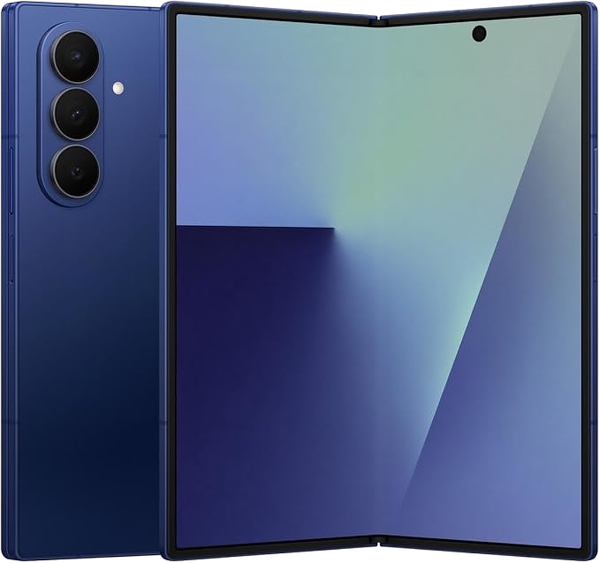
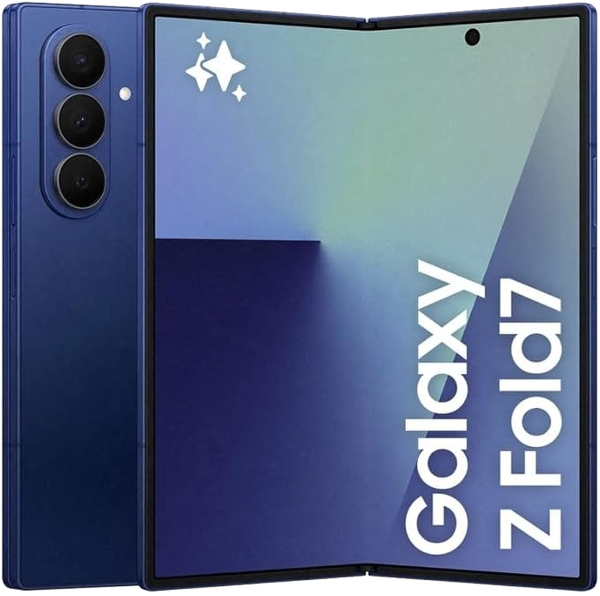
The best phone I’ve ever owned is the Galaxy Fold 5 (2023), and I still use it to this day. I don’t plan on replacing it until 2028, when the 9th or 10th generation comes out. It’s a phenomenal device.

At first, I was hesitant to purchase such an expensive phone—I thought I’d regret it. But it turned out to be the opposite. I love this phone now even more than when I first bought it. I never purchased a protection plan or used a case. Despite dropping it a handful of times, it has never cracked. It’s extremely tough, although my heart does stop every time it falls.

Watching multimedia on it is incredible. I often find myself watching shows on the Fold with my Sennheiser headphones instead of using my LCD TV. Reading on Kindle or manga is also ideal thanks to its compact unfolded size—it feels like holding a small book.

I don’t take full advantage of gaming on it, though many do. With its AMOLED display and 120Hz refresh rate, it’s easy to see why gamers love it. What I personally enjoy most is multitasking. I can have 3–4 pages open simultaneously while listening to YouTube or Spotify, and it never overheats. The only time it warms up is when you’re pushing it to the limit—playing a game on max settings, browsing the web, and streaming YouTube in a hot environment.

Battery life has also been solid. Even with heavy use, I’ve never had a problem. The only drawback is the camera. While still premium, it’s a step behind compared to the iPhone or Galaxy Ultra. That said, newer models have fixed this. The Fold 7, two generations ahead, is now on par with other premium smartphones—considered to have one of the best selfie cameras.

The Fold 7 also brings big improvements: it’s wider, slimmer, lighter, and built with tougher glass and a stronger frame. The crease in the middle—never a big issue for me on the Fold 5—is less noticeable. Its dimensions are more pocket-friendly, making it comfortable to carry and use whether walking or sitting.

When people ask me if it’s worth it, I always say: “If you’re looking for both a phone and a tablet, then yes, absolutely. If not, then no.” Buying a flagship smartphone plus a tablet will easily cost between $1,400 and $2,400. At that price, the Fold is a two-in-one solution. The convenience heavily outweighs carrying two separate devices.

In conclusion, I love my Fold.

Samsung Galaxy Fold 7 512GB

This post contains affiliate links. If you click through and make a purchase, I may earn a commission at no
additional cost to you.

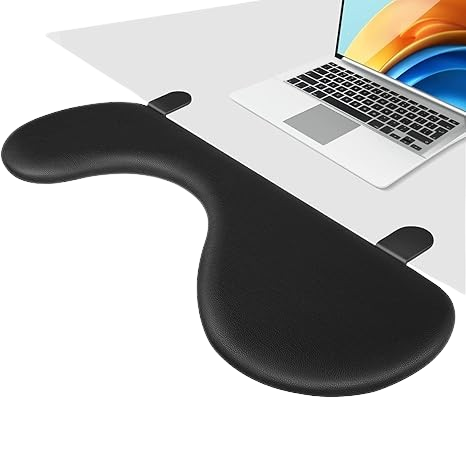
Ergonomic Arm Rest Desk Extension (Ulnar Nerve Health)

I never experienced carpal tunnel, but I did have a painful strain in my wrist and the lower part of my hand. At the time, I was exploring the use of a mouse and keyboard for gaming. It gave me great satisfaction to see the control and twitch shots I was able to pull off. However, I couldn’t believe that bad posture and wrist placement injured my hand. I couldn’t use the mouse for gaming for two weeks and had to be gentle with my overall mouse usage while browsing the internet. It wasn’t enjoyable, so I defaulted back to the controller.

Meanwhile, I started researching how to prevent this kind of injury if I ever wanted to try gaming with a mouse again. I knew I’d be frustrated if I ended up with carpal tunnel syndrome later in life. I looked into ergonomic chairs, vertical mice, and wrist rest pads. Through my research, I found that these three products help substantially—but they don’t actually tackle the root of the problem.

The main culprit, which I hadn’t considered, turned out to be the elbow. Specifically, the Ulnar Nerve. This nerve gets irritated the longer it’s compressed by your body weight or by resting on the edge of a desk. Even though the pain shows up in the wrist or hand, that’s not precisely what causes carpal tunnel. Unfortunately, there aren’t many products that effectively address this issue. While elbow desk pads exist, they’re often hard to place in the correct position to maintain good posture—which can lead to other problems, like neck pain.

If you work or game at a desk for many hours, consider investing in the Ergonomic Arm Rest Extension to avoid these issues. Combined with other ergonomic tools, this will significantly reduce the chances of experiencing wrist, hand, neck, back, shoulder, and elbow pain.

As tedious or costly as it might sound, it ultimately comes down to how comfortable and pain-free you want to be while working or gaming.

United States

Desk Extender Adjustable Arm Rest Support for arm Support for Ergonomic Arm Rest Extender Rotating Mouse Pad Holder for Table Office Desk

SPain (EU)

Giecy Desk Extender Tray, Foldable Armrest Elbow Wrist Rest Support Clamp Computer Keyboard Tray Table Extension for Working, Studying and Gaming (Black)

Japan

Giecy Desktop Armrest Ergonomic Desk Extender Extension Table Extension Retrofit Keyboard Tray Elbow Support Folding Fatigue Relief

This post contains affiliate links. If you click through and make a purchase, I may earn a commission at no
additional cost to you.

Desk Light / Streaming Light

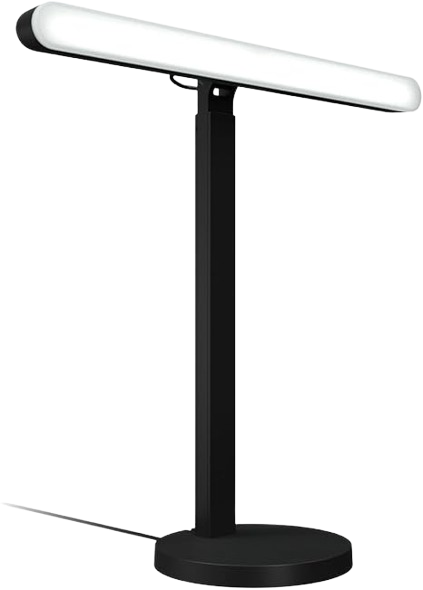
Though it’s expensive and I wouldn’t recommend it for many, I do love my Litra Beam as a desk light. It’s of superb quality and I intend to keep it for more than a decade. It is purposely made for gamers and creators. If you do any desk work, vlogging, recording, live streaming, or late-night gaming, you’ll appreciate this product.

It features a slim and elegant design that can be adjusted and fitted in any position, ensuring your desk remains clutter-free. I’ve kept this light active for over 7 hours, spanning a period of 2 years, with no issues, to the point where I’ve even used it as a nightlight while sleeping. Durability is one of its key traits.

It also has the flexibility to connect via Bluetooth or USB. Lastly, it has TrueSoft technology, which allows you to customize the brightness and temperature to your liking—giving you the freedom to choose anywhere between 2700K and 6500K and making this LED lighting a more accurate source for your skin tone and room environment, tailored to your personal preference, and achieving a more professional, cinematic, yet natural look.

United States

Logitech G Litra Beam LED Lights for Gaming Setup, Key Light with TrueSoft, Adjustable Mount, Brightness/Color Temp, Desktop App Control for PC/Mac – Graphite

SPain (EU)

Logitech G Litra Beam, Premium LED Head Light, Adjustable Desktop Stand, Brightness/Color Temperature Settings, Desktop App Control, PC/Mac